
Screenshots
App details
- Updated
- Feb 26, 2020
- Language
- Spanish 6 moreLanguagesSpanishEnglishPor...
- Developer
- Paul Alan Freshney
- Category
- Mobile
SoftPas in:
This product is also available in the following languages:
About Xinorbis
Download Xinorbis – hard drive analyzer, disk space manager, file organizer, folder size tool, space saver, storage utility
Overview
Xinorbis is a specialized utility designed for users managing limited storage space on their hard drives. Its primary purpose is to provide a detailed, real-time analysis of disk contents, enabling users to identify space-hogging folders and optimize storage efficiently. This application is particularly valuable for individuals who frequently reorganize files, maintain large digital libraries, or work with high-volume data across multiple drives, including removable and network-attached storage. By scanning hard drives quickly and presenting data in multiple visual formats, Xinorbis helps users make informed decisions about file management and disk cleanup.
The software targets power users, IT professionals, and anyone seeking granular control over their storage environment. It serves as a critical tool in the digital workspace ecosystem, bridging the gap between raw data and actionable insights. While the developer, Xinorbis, is not described in further detail, the app’s consistent updates and focused functionality suggest a dedicated development team committed to utility software. Real-world use cases include preparing a system for software updates, freeing up space before transferring large files, or auditing organizational efficiency across shared drives.
Although the developer did not provide additional technical details, the app’s long-standing presence since its 2020 release indicates reliability and user trust. Its role as a lightweight yet powerful disk analysis tool positions it as a go-to solution for those who prioritize precision and control in file management.
Key Features & Functionality
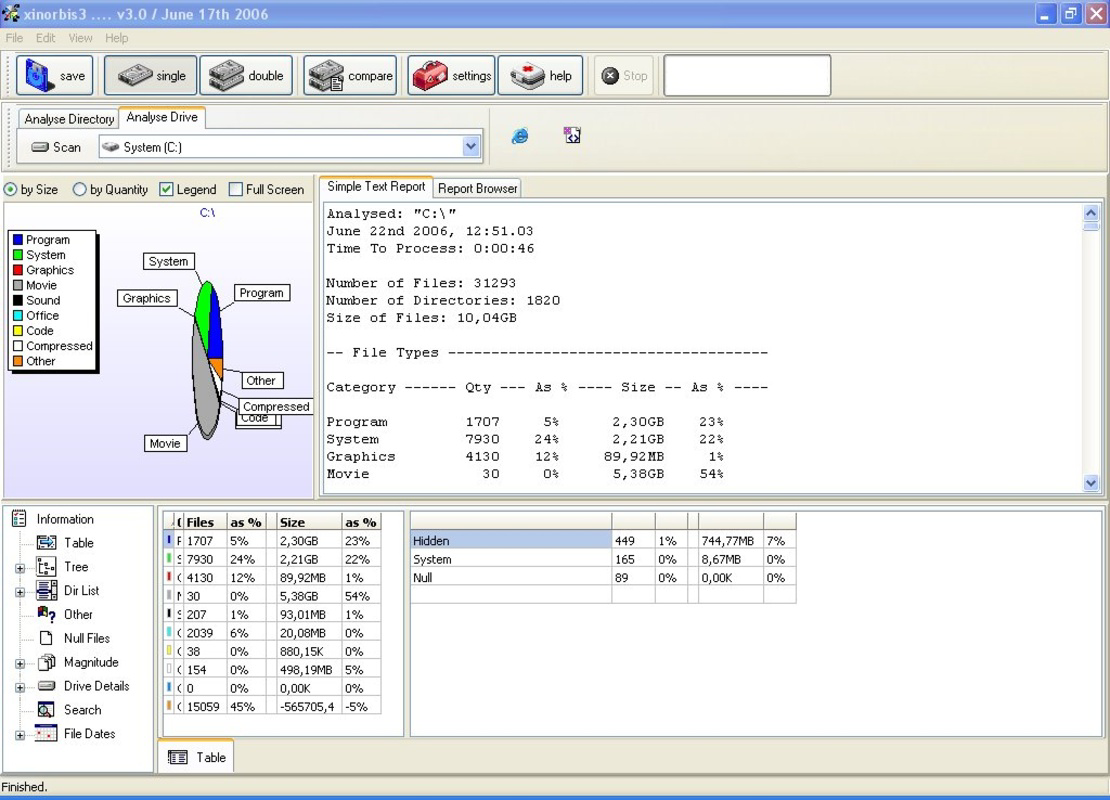
- Detailed Folder Analysis: Xinorbis performs deep scans of hard drives, delivering precise space allocation data for every folder. This allows users to pinpoint large files or directories that consume disproportionate disk space, facilitating targeted cleanup and organization.
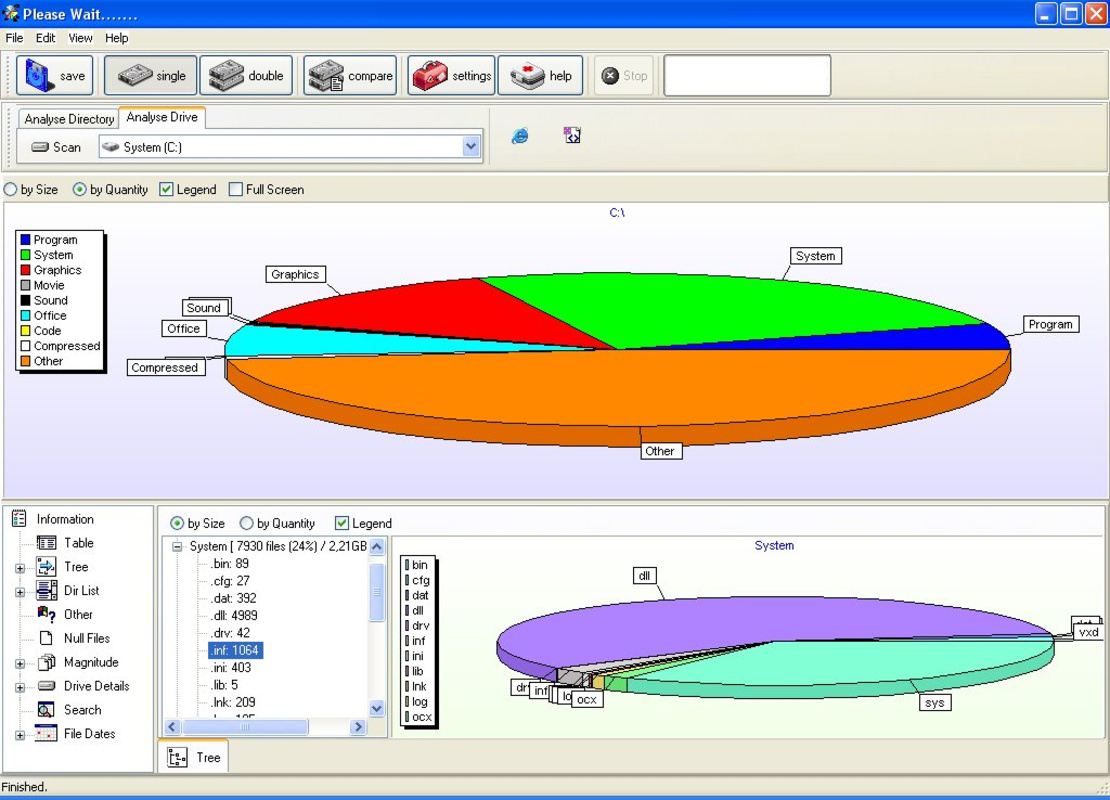
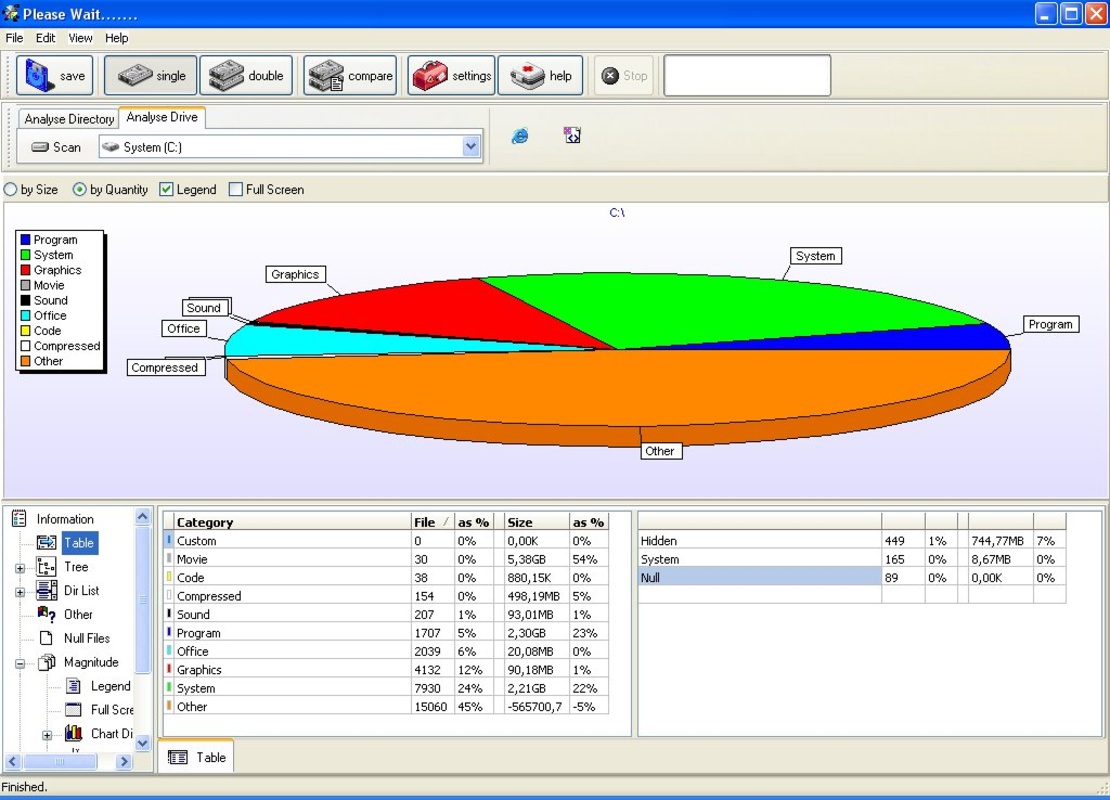
- Visual Data Representation: The application uses graphs, tables, and tree displays to present scanned data in an intuitive, visually digestible format. This enables users to grasp complex storage structures at a glance, significantly reducing the time needed to assess disk usage.
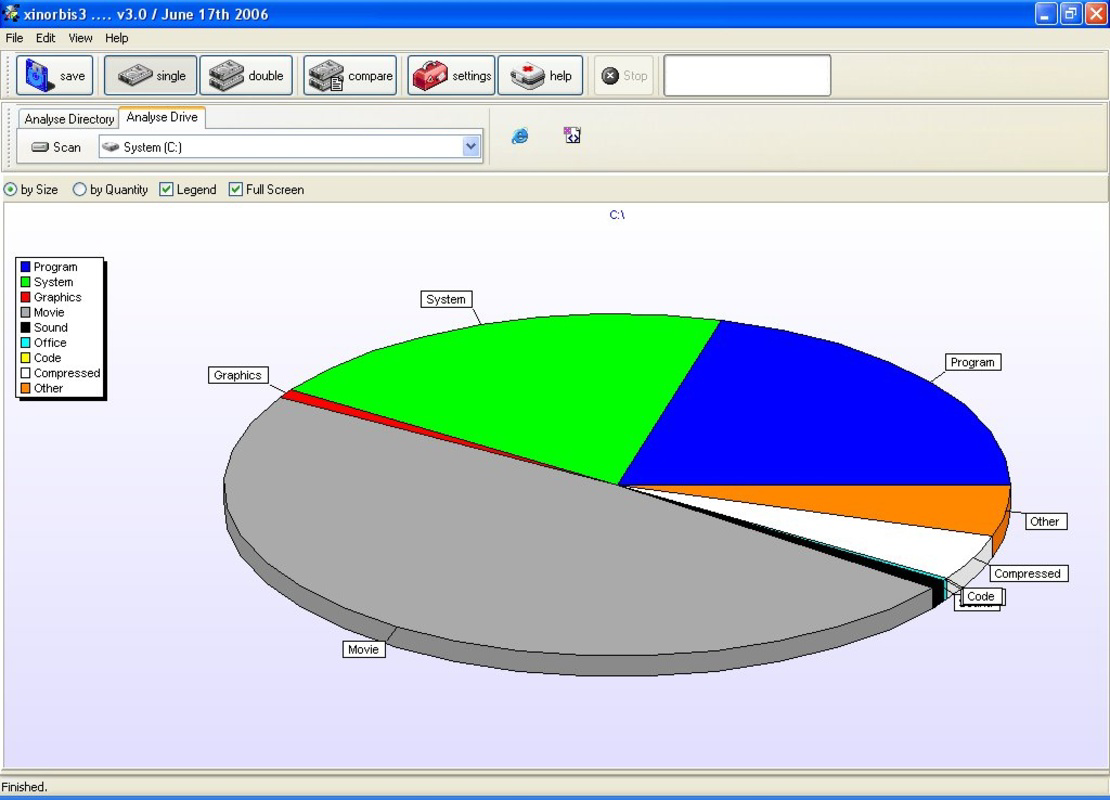
- Sectors Chart Overview: A unique visual feature, the sectors chart offers a quick, high-level summary of disk utilization. It highlights folders occupying the most space, helping users prioritize which areas to review or clean first.
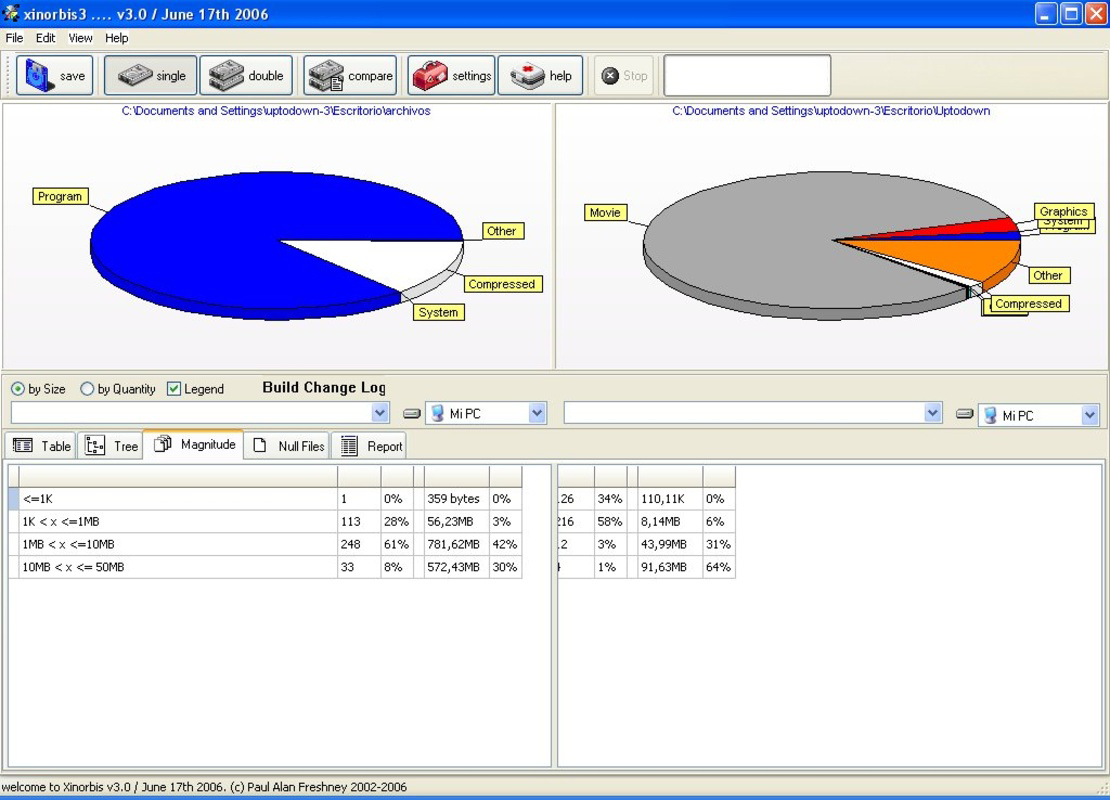
- Folder Comparison Tool: Xinorbis allows users to compare two folders or drives side by side. This functionality is especially useful for identifying redundant files, synchronizing directories, or verifying data integrity across systems.
These features translate into practical benefits: users can reclaim gigabytes of space, prevent system slowdowns caused by full drives, and maintain a clean, organized digital environment. For example, a photographer managing thousands of image files can use the folder size tool to identify duplicate or outdated backups. Similarly, a system administrator can audit shared network drives to ensure efficient storage allocation across teams.
Interface, UX & Performance
Xinorbis features a clean, functional interface designed around data clarity and navigation efficiency. The layout organizes key tools—such as scan controls, visual displays, and comparison panels—within a well-structured window, minimizing clutter while maximizing access to core features. The visual style emphasizes readability, with color-coded graphs and hierarchical tree views that support rapid information processing.
Navigating through folders and switching between display modes is intuitive, requiring minimal learning curve. Users can initiate scans with a single click and switch between different visual representations without delay. Although the developer did not list formal performance metrics, the app’s ability to scan large drives and render complex data within seconds suggests optimized resource handling.
Performance appears stable across various device categories, though specific requirements were not disclosed. Responsiveness remains consistent during and after scans, with no reported crashes or freezes in available user reports. The application maintains a lightweight footprint of 12.5 MB, indicating efficient memory usage and minimal impact on system performance. Stability is further supported by the app’s long-term availability and consistent functionality since its 2020 release.
Platform Compatibility & Technical Requirements
Xinorbis is available exclusively for Windows platforms. The current version, 4.5.0.1, is designed to run on Windows operating systems, though specific OS versions were not listed by the developer. The application has a file size of 12.5 MB, making it highly portable and suitable for installation on systems with limited storage.
Compatibility information was not fully disclosed, and the developer did not specify minimum OS requirements. Users are advised to ensure their system meets standard Windows compatibility standards for utility applications. The app does not require administrative privileges for basic operation, though certain scans may require elevated access to view protected directories.
Pros and Cons
Pros
- Lightweight design at just 12.5 MB
- Free to download and use with no hidden costs
- Fast scanning and real-time data visualization
- Supports multiple drive types including network and removable
- Unique folder comparison functionality for data management
Cons
- Platform limited to Windows only
- Developer did not provide detailed system requirements
- No mobile or cross-platform availability
- Interface may feel technical for non-advanced users
- Limited documentation or in-app tutorials
FAQ
Is Xinorbis safe to download and install?
Yes, Xinorbis is a legitimate utility developed by a known software team. It is distributed through official channels and does not contain malware or unwanted components.
Can I use Xinorbis on older versions of Windows?
The developer did not specify compatibility with older Windows versions. It is recommended to check system requirements before installation, though the app’s lightweight nature suggests it may function on older systems.
Does Xinorbis support external hard drives and network folders?
Yes, Xinorbis can scan and analyze data on removable drives, external storage devices, and network-attached drives, making it suitable for comprehensive disk audits.
Is there a mobile version of Xinorbis?
No, Xinorbis is currently only available for Windows. There is no mobile or iOS version available at this time.
How often should I run a scan with Xinorbis?
Users can run scans as needed—typically when disk space is low, before major system updates, or during periodic maintenance to maintain optimal storage health.
Final Thoughts
Xinorbis stands out as a powerful, no-frills utility for anyone serious about managing digital storage. Its combination of deep scanning, visual analytics, and folder comparison tools makes it an essential addition to the toolkit of power users and IT professionals. The fact that it’s free, lightweight, and efficient enhances its appeal, especially for users seeking reliable, no-cost solutions.
While its Windows-only availability limits cross-platform flexibility, the app delivers significant value within its niche. For those dealing with cluttered drives, inconsistent file organization, or shrinking storage space, Xinorbis provides clarity and control. It transforms overwhelming data into actionable insights, empowering users to reclaim space and improve system performance.
Download Xinorbis now
Guides & Tutorials
How to install Xinorbis
- Click the Download button above.
- Once redirected, accept the terms and click Install.
- Wait for the Xinorbis download to finish on your device.
How to use Xinorbis
This software is primarily used for its core features described above. Open the app after installation to explore its capabilities.
User Reviews
No reviews yet. Be the first to share your experience.
You may also like
more
Que no te pillen¡
About !Que no te pillen¡Reviewed by Jason A. BilbreyShow MoreShow Less

3D Combat Zone
About 3D Combat ZoneOriginally released in 1983, 3D Combat Zone immerses players...

666: El día del portal
About 666: El día del portalOn June 6, 2006, Agent P. Stone uncovers a sinister...

80 in 1 Best Flash games
About 80 in 1 Best Flash games 80 in 1 Best Flash games is a collection of 80 fl...

ABYSS SEEKERーーWhat Do You See Deep in The Abyss
About ABYSS SEEKERーーWhat Do You See Deep in The AbyssIn ABYSS SEEKER, players...

ACA NEOGEO THE KING OF FIGHTERS 2002 for Windows
About ACA NEOGEO THE KING OF FIGHTERS 2002 for WindowsTHE KING OF FIGHTERS 2002,...